Scribe · AI notes from your meetings
Every meeting, written down. Then filed where it belongs.
Scribe joins your Google Meet and Zoom calls, transcribes who said what, writes the decisions and next steps as structured notes, and pushes them onto the contact in Hazel. Nothing said on a call is lost in someone’s notebook again.
- Google Meet and Zoom
- English, Hindi and Hinglish
- Notes pushed into Hazel
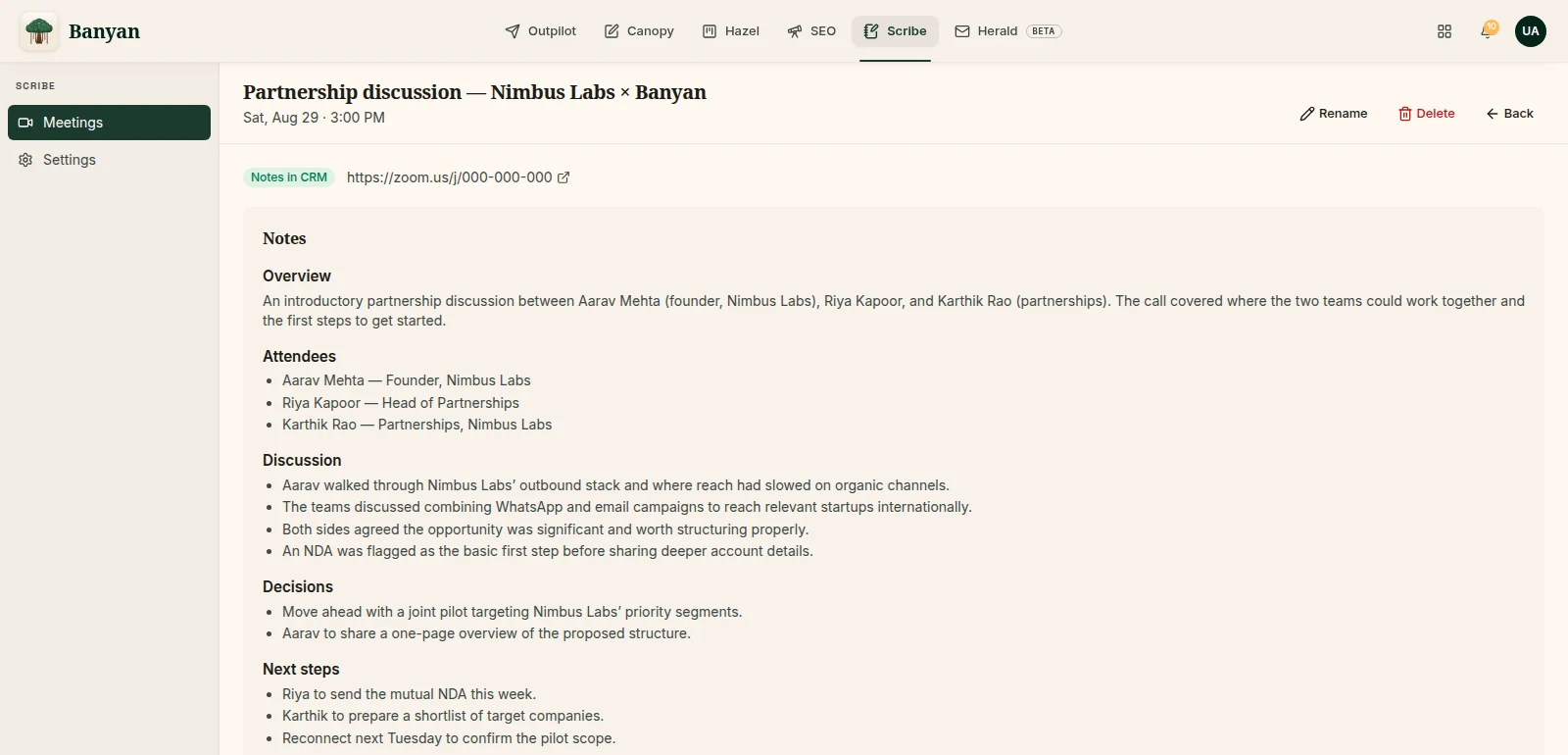
The transcript on the left, the notes that matter on the right
Decisions and next steps, not a wall of text, with the push to Hazel one click away, or automatic.
A note-taker that turns up on its own
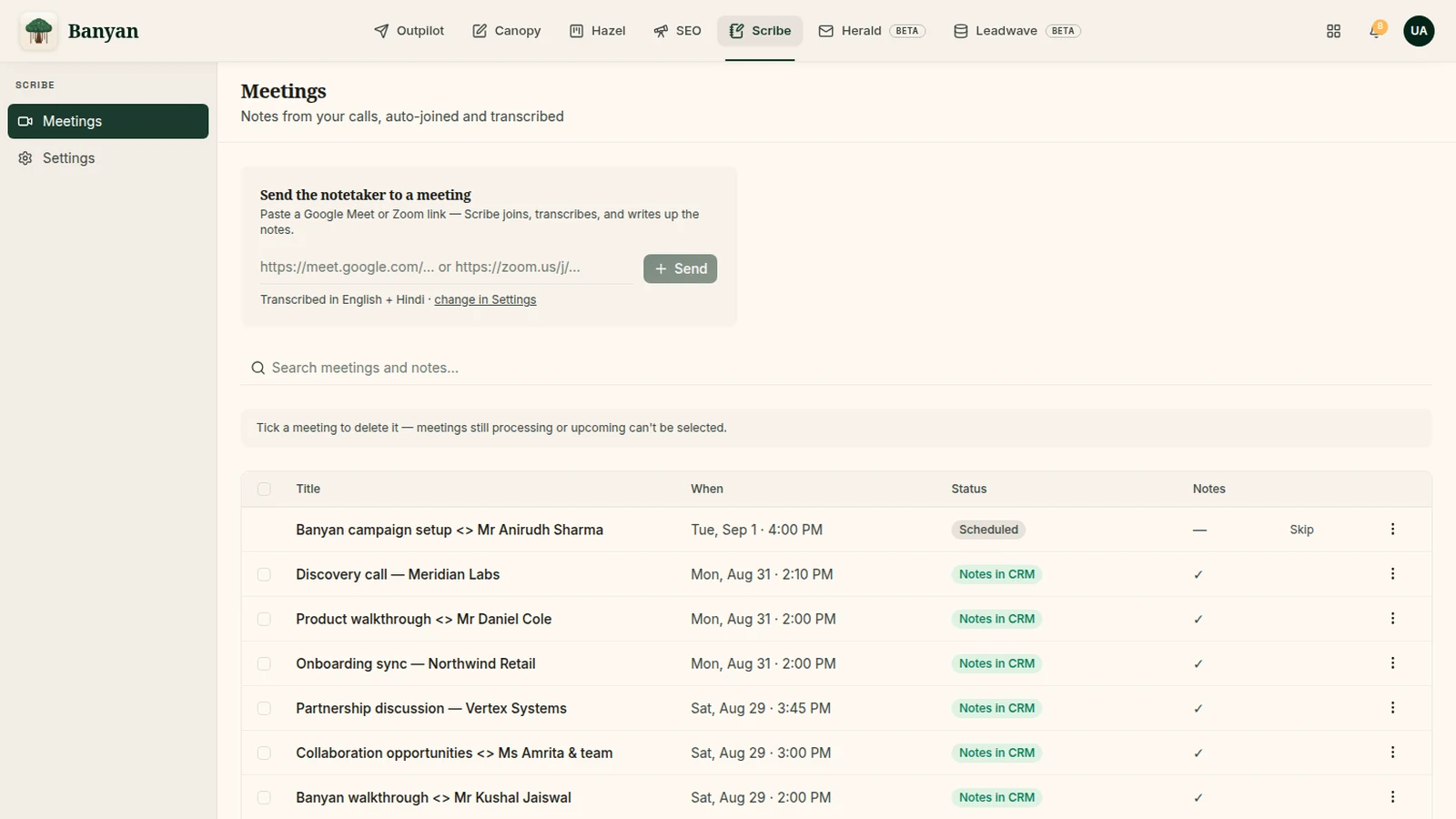
Paste a link, or connect a calendar and Scribe joins the meetings on it.
Joins Google Meet and Zoom
Paste a meeting link and Scribe joins from the lobby. Connect your Google calendar and it joins the meetings you schedule, with the attendees already known.
Speaker-attributed transcripts
Every line carries who said it and when, using the names people joined with, so the transcript reads like the meeting instead of a monologue.
Built for English, Hindi and Hinglish
Scribe pins the language of a call and repairs garbled lines from context, because bilingual calls switch mid-sentence and generic transcription falls apart there.
Structured notes, honest by design
What was decided, what happens next, and who owns it. Nothing invented.
Decisions and next steps
Scribe writes the meeting as decisions, next steps and open questions. If a call was too thin to support a conclusion, it says so rather than making one up.
Notes you can manage
Rename, select and delete sessions; keep the ones that matter and clear the rest. Notes stay attached to the meeting and the people on it.
Pushed into Hazel
Notes land on the contact and company records in Hazel automatically, linked through the attendees’ emails, so the CRM knows what was said without anyone typing it in.
Scribe, start to finish
- 01
Paste a link or connect your calendar
Scribe joins from the lobby when the meeting starts.
- 02
Have the meeting
The bot listens; nobody takes notes.
- 03
Read the notes
Decisions, next steps and the full transcript, minutes after the call ends.
- 04
Find them in Hazel
Already on the record for everyone who was on the call.
Scribe is one root of nine.
Take the meeting. Let Scribe take the notes.
Paste your next meeting link and read the notes before you have finished your chai.