How to Generate B2B Leads on LinkedIn Using Sales Navigator and LinkedIn Automation
Learn how to generate B2B leads on LinkedIn with Sales Navigator, targeted prospecting and compliant automation to find prospects and manage sales outreach.

On this page
Finding potential customers is one of the biggest challenges for B2B sales teams. Even with a good product and a clear understanding of the target market, identifying suitable companies, finding decision-makers and following up at the right time requires consistent effort. LinkedIn Sales Navigator can help sales representatives narrow their search and find relevant prospects. When used with a structured outreach process, it becomes easier to generate B2B leads on LinkedInand build meaningful business relationships with potential customers.
LinkedIn can make this process easier when it is used with a clear prospecting strategy. Sales Navigator helps sales teams identify relevant companies and decision-makers, while a well-organised sales workflow helps manage lead records, follow-ups and ongoing conversations.
The important part is knowing how to combine these activities without losing the personal approach that makes B2B sales effective. This guide explains how to generate B2B leads on LinkedIn using Sales Navigator, how to organise outreach, where automation can help and what sales teams should consider before choosing their tools.
What Is B2B Lead Generation on LinkedIn?
B2B lead generation on LinkedIn is the process of finding professionals and companies that may benefit from your product or service and developing relationships with them.
Unlike business-to-consumer marketing, where a product may be sold directly to an individual, B2B sales often involves multiple decision-makers, longer buying cycles and more detailed discussions before a purchase.
For example, a company selling sales automation software may want to connect with sales managers, business development leaders, startup founders or revenue operations professionals. These people may be responsible for improving prospecting, managing sales pipelines or helping their teams work more efficiently.
LinkedIn provides access to professional profiles, company information and business-related discussions that can help sales teams identify relevant prospects.
However, finding a person's profile does not automatically make them a qualified lead. The real opportunity comes from understanding whether their company fits your target market and whether your offering addresses a relevant business need.
Effective B2B lead generation focuses on the quality of prospects and conversations rather than the number of contacts collected.
Step 1: Define Your Ideal Customer Profile
Before opening Sales Navigator, decide which businesses you want to reach. This helps prevent your sales team from spending time on prospects who are unlikely to benefit from your offering.
An ideal customer profile, or ICP, describes the type of company that is most likely to need and purchase your product or service.
Identify the right companies
Start by defining a few basic characteristics of your target businesses.
Industry: Identify the sectors where your product solves a relevant problem, such as SaaS, IT services, professional services or marketing agencies.
Company size: Decide whether your solution is best suited to startups, small businesses, mid-sized companies or larger organisations.
Geography: Choose the countries or regions your business can realistically serve.
Business requirements: Identify the challenges your product helps address, such as inefficient prospecting, inconsistent follow-ups or time-consuming sales administration.
Buying potential: Consider whether your target companies have a plausible need, budget and reason to evaluate your solution.
You do not need to target every industry at once. Starting with a clearly defined audience makes it easier to understand which prospects respond and which types of businesses are more likely to become customers.
Identify the people involved in purchasing decisions
After defining your target companies, determine which professionals are likely to influence the buying process.
Depending on your offering, these may include:
Founder or Co-founder
Head of Sales
Sales Manager
Business Development Manager
Head of Growth
Revenue Operations Manager
The appropriate contact depends on the product and the organisation's structure. A founder may make purchasing decisions at a small startup, while a larger business may involve a department head, operations team and procurement department.
A clear customer profile gives your prospecting process direction and makes personalised outreach much easier.
Step 2: Use LinkedIn Sales Navigator to Find Relevant Prospects
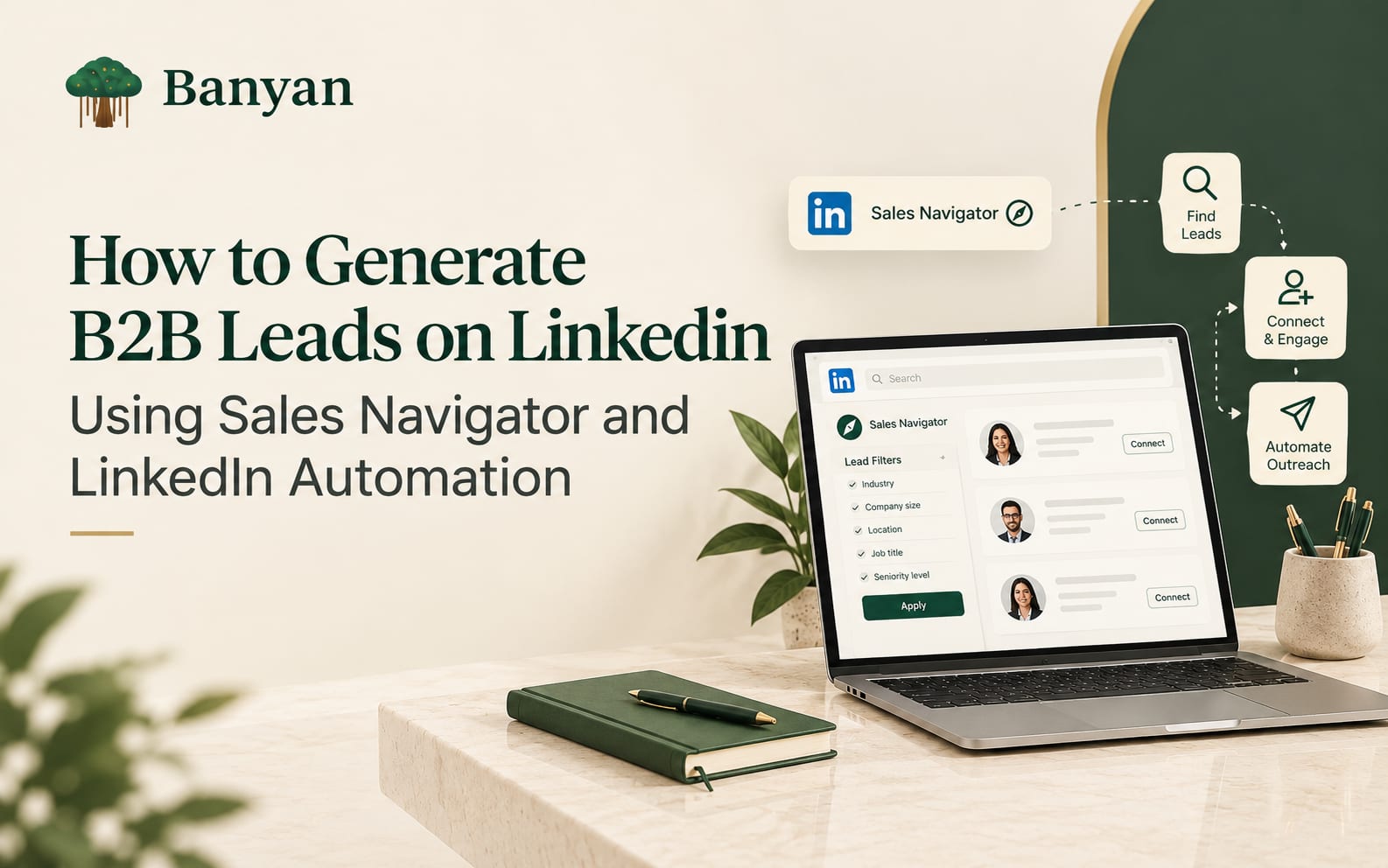
LinkedIn Sales Navigator is designed for professional prospecting. Its lead and account search features help users narrow down people and companies using filters relevant to their target market.
Rather than reviewing a large number of unrelated profiles, you can build a search around the characteristics of your ideal customers.
Use lead search filters
Sales Navigator provides filters for identifying professionals according to their role, company and other relevant characteristics. Depending on the features available in your subscription, these may include:
Current job title
Seniority level
Function or department
Industry
Geography
Current company
Company headcount
Recent job changes
Relevant professional activity
Shared connections or potential introduction paths
You can review LinkedIn's official Sales Navigator lead and account search filter guide for current filter definitions.
Example: Finding leads for B2B sales software
Suppose your company offers software that helps sales teams organise prospecting and improve their sales workflows.
You might begin with the following search criteria:
| Search criteria | Example |
|---|---|
| Industry | Software and IT services |
| Geography | India |
| Company size | 11–200 employees |
| Job titles | Founder, Head of Sales, Sales Manager |
| Seniority | Owner, Manager, Director |
| Business relevance | Companies with a plausible need for better sales processes |
These criteria are an initial starting point, not a universal formula. Adjust them according to your existing customers, product pricing and sales market.
Once you have search results, review individual profiles and company information. Check whether the prospect's responsibilities and business context match what your company offers.
Save relevant leads and accounts
Sales Navigator allows users to save leads and accounts for future reference. Saved lists can help organise prospects by industry, company type, sales campaign or buyer role.
For example, you could maintain separate lists for SaaS founders, sales leaders and marketing agencies. This makes it easier to prepare relevant messages for each audience rather than using the same pitch for everyone.
You can also save searches to help discover new prospects who match your criteria.
The benefit of Sales Navigator is not simply access to more profiles. It is the ability to make prospecting more focused and organised.
Step 3: Research Prospects Before Starting Outreach
A relevant search result is only the beginning. Before contacting a prospect, take time to understand their professional background and the company they represent.
This research helps you decide whether outreach is worthwhile and gives you a genuine reason to start a conversation.
What should you research?
Start with information that directly relates to the business problem your product addresses.
1. Current role and responsibilities
Check whether the person's role is relevant to your offering. A sales manager may be interested in improving prospecting efficiency, while a finance manager may have different priorities.
2. Company products and services
Review the company's website and public business information to understand its market, customers and services.
3. Recent professional activity
If the prospect has shared a relevant industry observation, company update or business challenge publicly, it may provide a useful conversation starter.
4. Company developments
Public announcements about expansion, hiring or a new product can provide context for a relevant business discussion. These signals should not be treated as proof that the company needs your product.
5. Potential fit
Ask yourself whether you can explain, in a straightforward way, why your product or service might be relevant to this person.
You do not need to spend half an hour researching every prospect. Focus on the information that helps you make a reasonable decision about relevance.
Example of relevant prospecting
Imagine that you sell software designed to help B2B sales teams manage their prospecting activities.
You find a sales leader at a growing software company. Their role is relevant, and the company appears to fit your target market.
Instead of immediately sending a product pitch, you could review the company's public information and identify a genuine reason to connect. If the business has publicly discussed its sales expansion, for example, you might use that context to start a professional conversation.
Avoid assuming that every growing company struggles with sales productivity. Research should help you understand the prospect, not encourage you to make unsupported claims about their business.
Step 4: Build an Outreach Strategy That Starts Conversations
Once you have identified suitable prospects, the next step is to communicate with them in a way that feels relevant and professional.
B2B buyers receive messages from vendors regularly. A message that immediately pushes for a demo without explaining its relevance may be ignored, even when the product could be useful.
Write a clear and relevant opening message
A good opening should explain why you are reaching out and make it easy for the recipient to understand the purpose of the conversation.
For example:
"Hi [Name], I work with B2B teams that want to improve their sales prospecting process. I came across your work in [relevant area] and thought it would be useful to connect and exchange ideas."
Use the example only when the stated reason is genuine. If you have no meaningful context, keep the message straightforward rather than inventing a personal connection.
Focus on the prospect's needs
After a connection is established, avoid sending a lengthy list of product features straight away.
Instead, introduce the business problem you help address and ask a relevant question.
For example:
"Thanks for connecting, [Name]. I'm interested in how B2B sales teams manage prospect research and follow-ups as their pipelines grow. Is this something your team is currently looking to improve?"
This gives the prospect an opportunity to explain their priorities. It also helps your sales representative determine whether there is a genuine fit.
Follow up with a reason
Some prospects may not respond to the first message because they are busy or the timing is not right. A follow-up can be appropriate when it adds context or offers something useful.
Avoid sending repeated messages that contain nothing new. If someone declines, asks you to stop contacting them or shows no interest after reasonable follow-up, respect that decision.
Personalisation is not about making every message longer. It is about giving each prospect a clear and honest reason to engage.
Step 5: Understand Where LinkedIn Automation Fits
As prospecting grows, managing every detail manually can become difficult. Sales representatives may need to maintain lead records, prepare follow-up tasks, update CRM fields and review campaign performance while continuing to find new prospects.
Automation can support parts of this process, but it is important to distinguish between sales workflow automation and unauthorised automation of activity on LinkedIn.
Sales tasks that can benefit from automation
Depending on your tools and approved integrations, automation can help with activities such as:
CRM record management: Keep relevant lead and company details organised.
Task reminders: Remind sales representatives to review an opportunity or complete an agreed next step.
Lead status updates: Maintain a clear record of where each prospect stands in the sales process.
Email workflows: Manage appropriate email communication through compliant systems and according to applicable requirements.
Reporting: Compile information about replies, meetings, qualified leads and sales opportunities.
Message preparation: Draft initial messages for human review, ensuring that the content is accurate and relevant.
These activities can reduce repetitive administration and help the team spend more time understanding prospects and handling sales conversations.
What about automating LinkedIn connection requests and messages?
This is where sales teams need to be particularly careful.
LinkedIn's official policy prohibits unauthorised third-party software and browser extensions that scrape data from its website or automate activities such as messaging, connection requests and engagement. Using prohibited tools can result in account restrictions.
Before choosing a tool, read LinkedIn's current guidance:
Do not assume that a tool is permitted simply because its marketing describes it as safe or compliant. Check what it actually does and whether its use is allowed under the relevant platform terms.
A more sustainable approach is to use LinkedIn's own prospecting features and streamline the surrounding sales workflow through permitted tools and integrations.
This allows sales teams to improve organisation without relying on prohibited scraping or automated LinkedIn activity.
Step 6: Choose the Right Tools for Your Sales Workflow
Not every sales team needs a large collection of software. The right tools depend on your prospecting volume, team size, sales process and the tasks that consume the most time.
Before investing in another platform, identify the specific problem you want to solve.
Questions to ask before choosing a tool
Does it solve a real problem?
Identify whether your biggest challenge is finding relevant prospects, maintaining accurate records, managing follow-ups or measuring results.
Does it fit your existing process?
A tool should work with the systems your team already uses wherever possible. If it creates duplicate records or requires constant manual corrections, it may add more work than it removes.
Can the team maintain control?
Sales representatives should be able to review messages, correct inaccurate information and decide which prospects deserve attention.
Does it support your CRM and reporting needs?
Check whether the tool offers the integrations you require, what data is shared and whether the relevant features are included in your plan.
Is its use permitted?
Review platform policies, privacy requirements, data handling practices and the tool's actual functionality before adopting it.
How GetBanyan fits into this process
GetBanyan provides B2B sales and marketing software, including OutPilot for LinkedIn outreach and sales automation-related workflows.
If you are evaluating solutions for your sales team, you can explore the OutPilot product page to understand its current features and intended use.
As with any tool, assess its capabilities against your workflow and verify that your intended use complies with LinkedIn's current policies. Do not assume that a product name or marketing description guarantees permission to automate actions on LinkedIn.
Step 7: Organise Your Leads in a CRM or Lead Tracker
Finding prospects is useful only when your team can manage the next steps properly.
Without an organised process, sales representatives may forget conversations, contact the same person twice or lose track of leads that have shown genuine interest.
A CRM or simple lead tracker can help keep the process clear.
Useful fields include:
| Field | Purpose |
|---|---|
| Prospect name | Identify the professional |
| Company name | Record the organisation |
| Job title | Understand the person's role |
| Lead source | Record where the prospect was discovered |
| Reason for outreach | Keep the business context clear |
| Lead status | Track progress through the sales process |
| Last interaction | Record the most recent relevant contact |
| Next step | Identify the action agreed or required |
| Qualification notes | Record relevant business needs and fit |
Keep the information accurate and relevant. Follow your organisation's data-handling policies and applicable privacy requirements.
Separate prospects from qualified leads
Not everyone who matches your Sales Navigator filters is ready to buy.
A prospect becomes more promising when you establish that they fit your target audience, have a relevant business need and are willing to discuss a possible solution.
It helps to distinguish between:
Prospects: People or companies that match your initial criteria.
Engaged leads: Prospects who have shown meaningful interest or responded.
Qualified leads: Contacts who meet your agreed qualification criteria.
Sales opportunities: Qualified situations with a credible possibility of a deal.
This distinction gives your team a more realistic picture of pipeline quality.
Step 8: Measure Whether Your LinkedIn Lead Generation Is Working
A prospecting campaign can produce many contacts without creating meaningful sales opportunities. For this reason, measuring activity alone is not enough.
Track the outcomes that help you understand the quality of your prospecting and outreach.
Important metrics to monitor
Relevant prospects identified: How many people genuinely fit your ideal customer profile?
Positive reply rate: How many contacted prospects respond with meaningful interest? Define what counts as a positive reply before comparing campaigns.
Qualified conversations: How many interactions reveal a relevant business need and a reasonable fit?
Meetings booked: How many prospects agree to a business discussion?
Sales opportunities created: How many qualified conversations progress into potential deals?
Conversion rate: How many opportunities eventually become customers?
Cost per qualified lead: How much are you spending to generate a lead that meets your qualification criteria?
For example, imagine that one campaign identifies 100 prospects and produces two qualified conversations. Another identifies 40 prospects and produces eight qualified conversations.
The second campaign may be more promising, even though it reaches fewer people. However, you should also compare meeting quality, sales opportunities and eventual revenue before deciding which approach works better.
Use these findings to refine your targeting, messaging and follow-up process. Avoid judging success only by connection counts or the number of messages sent.
Common Mistakes to Avoid
Targeting too many types of businesses
A message that works for a startup founder may not be relevant to an enterprise sales director.
Better approach: Start with a defined audience and create different messaging for distinct buyer groups.
Sending generic sales pitches
Messages that focus entirely on your product provide little reason for a prospect to respond.
Better approach: Explain the relevance of the conversation and ask a thoughtful, straightforward question.
Treating every search result as a lead
A matching job title does not prove that someone needs your product or has purchasing authority.
Better approach: Review the company, understand the person's role and qualify prospects through relevant conversations.
Automating LinkedIn activity without checking the rules
Using prohibited tools can put your account and professional reputation at risk.
Better approach: Check LinkedIn's current policies and use permitted methods for prospecting, communication and workflow management.
Ignoring lead management
Even interested prospects can be lost when nobody records the conversation or agrees on the next step.
Better approach: Maintain clear lead statuses, assign responsibility and keep follow-up tasks organised.
Measuring only activity
A high number of contacts does not automatically mean a successful campaign.
Better approach: Review qualified replies, meetings, sales opportunities and revenue alongside activity metrics.
A Practical Workflow for Generating B2B Leads on LinkedIn
Sales teams can begin with a straightforward process and refine it as they learn more about their audience.
Define your ideal customer profile. Choose the industries, company sizes, locations and job roles most relevant to your offering.
Search for suitable accounts. Use Sales Navigator to find companies that match your criteria.
Identify decision-makers. Review relevant professionals within those organisations.
Research the prospects. Look for genuine business context and reasons to start a conversation.
Prepare relevant outreach. Write concise messages that reflect the recipient's role and business needs.
Manage the sales workflow. Use permitted tools to maintain records, schedule reminders and organise follow-ups.
Qualify interested prospects. Determine whether their needs and circumstances fit your offering.
Review the results. Measure qualified conversations, meetings, opportunities and conversions.
Improve the process. Refine your audience and approach based on the results you observe.
Start with a manageable group of well-matched prospects. Review the quality of the conversations before expanding the process.
Final Thoughts
Generating B2B leads on LinkedIn requires more than finding profiles and sending sales messages. It requires a clear understanding of your target customers, careful prospect research and a consistent way to manage conversations.
Sales Navigator helps sales teams identify relevant accounts and decision-makers. A structured outreach process gives those prospects a reason to engage, while CRM tools and appropriate workflow automation can help keep the process organised.
The key is to use these tools for the right purposes. Automation should reduce repetitive administration and improve visibility into the sales pipeline, not replace human judgement or bypass LinkedIn's rules.
Focus on the right prospects, understand their business needs and build conversations that have a genuine reason to continue. This gives your team a stronger foundation for generating qualified B2B leads and developing long-term business relationships.
Frequently asked